The Problem
Manual device setup delays productivity and produces inconsistent builds.
Different technicians follow different steps, critical settings are missed, and the first-day experience varies by location and team.
The organisation absorbs avoidable support load while endpoints start their lifecycle with configuration drift.
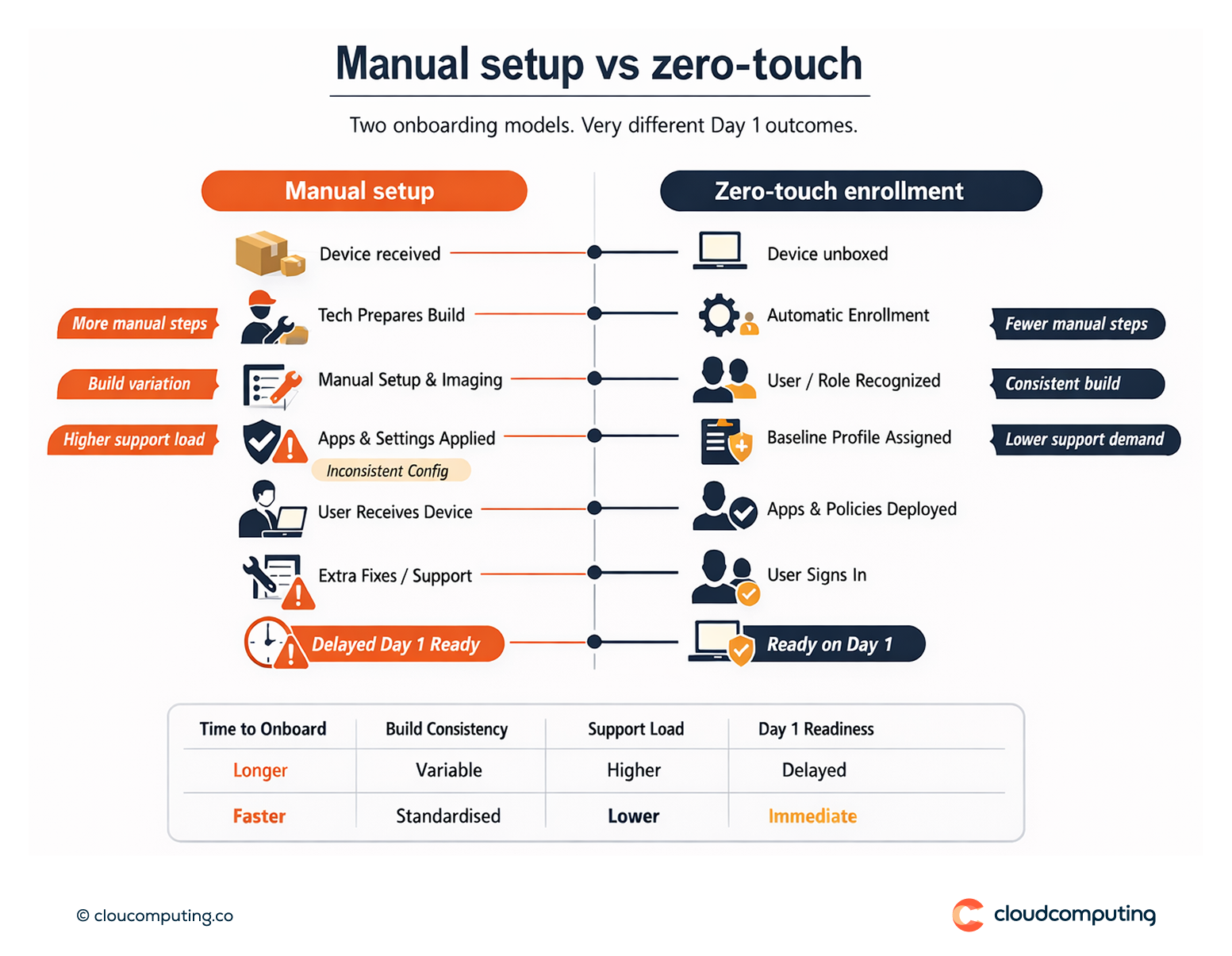
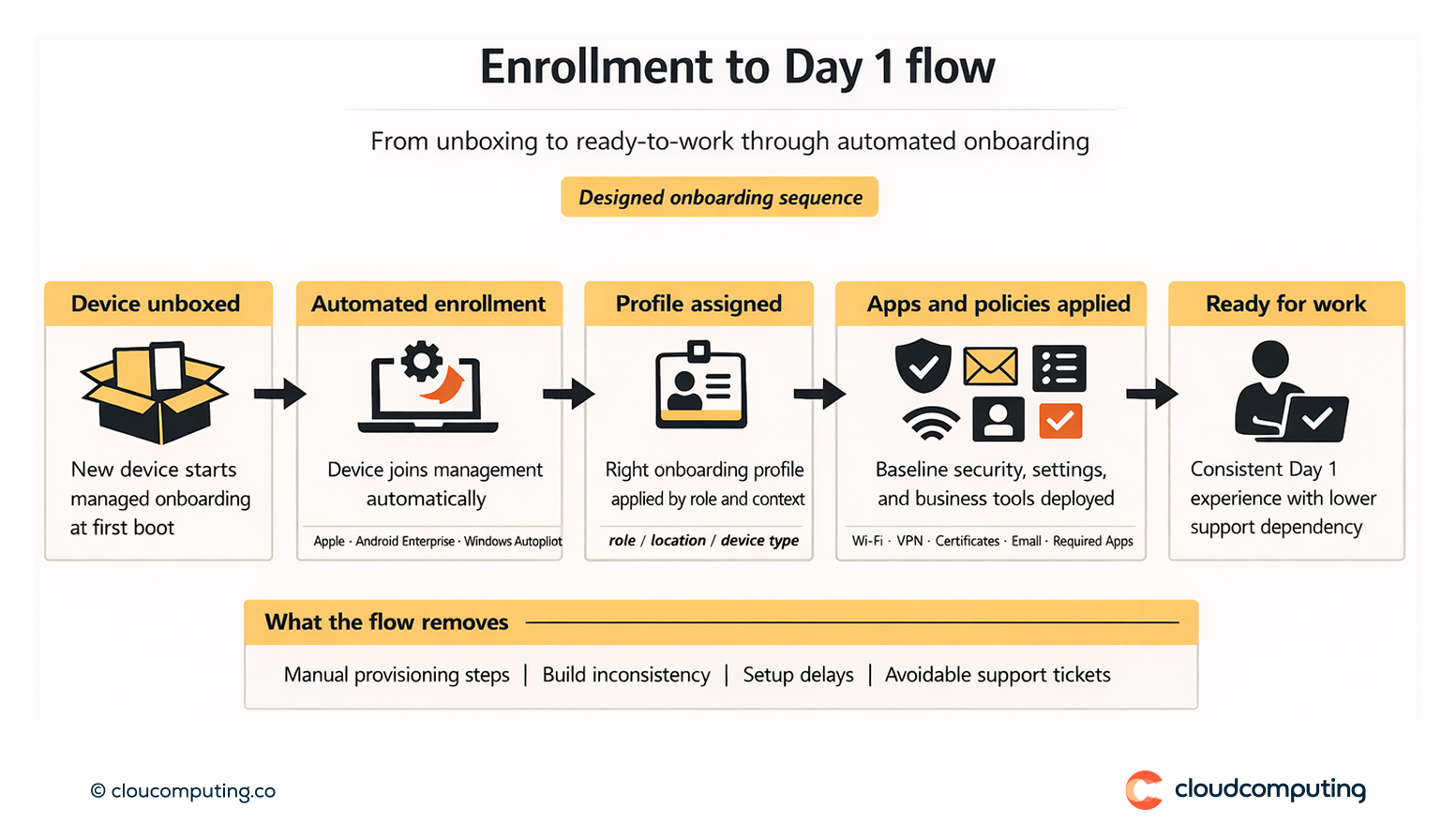
How we solve it: Implement automated enrollment (Apple/Android enterprise flows, Windows Autopilot) with standardised onboarding profiles for consistent Day 1 builds.
We implement Omnissa-based enrollment and onboarding so devices join management automatically and receive the right configuration at first boot.
- Enrollment architecture by platform
We configure Apple and Android enterprise enrollment models and Windows Autopilot patterns to eliminate manual provisioning steps. - Standard onboarding profiles
We define reusable profiles for baseline security, Wi-Fi/VPN, certificates, email, and required apps, aligned to role and location. - Role-based assignment
We map users, groups, and device types to onboarding profiles so the right configuration is applied automatically. - Operational rollout
We design phased rollout and support processes to transition fleets without disruption.
Expected outcome
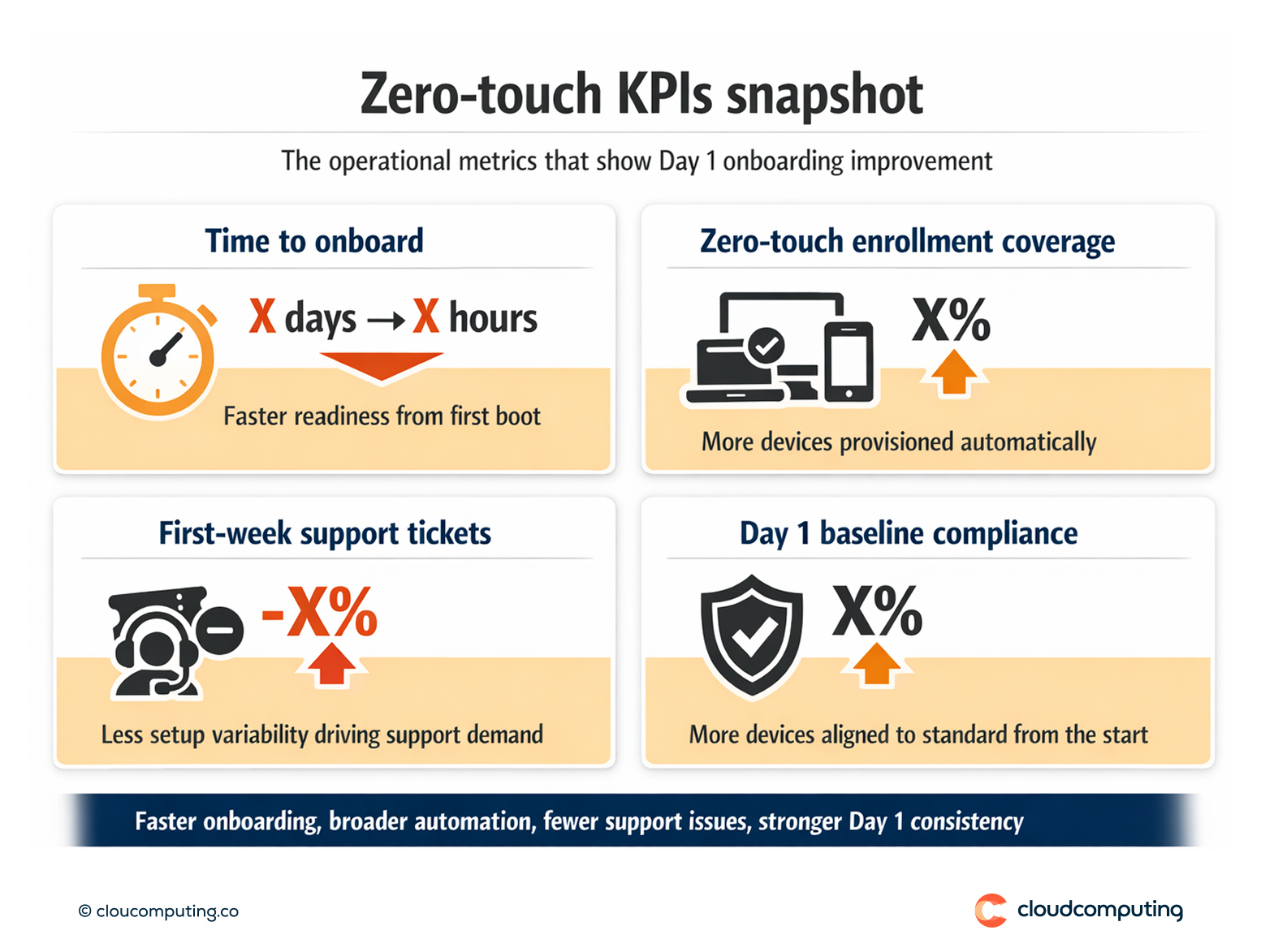
- Day 1 readiness with consistent onboarding across locations and teams
- Faster rollouts through reduced manual provisioning effort
- Consistent baseline configuration that reduces drift from the first boot
- Lower support load by removing setup variability
Quick Answers
What is zero-touch enrollment?
A provisioning approach where devices enroll into management automatically and receive configuration without manual setup.
Why does it matter operationally?
It reduces onboarding time and eliminates build inconsistencies that drive support demand.
What changes for users?
They start with a ready-to-work device that applies policies and apps automatically.