The Problem
Manual steps around file exchange slow operations and increase error rates.
Validation, routing, renaming, approvals, and handoffs to downstream systems are often handled outside the transfer layer, creating fragile dependencies and inconsistent outcomes.
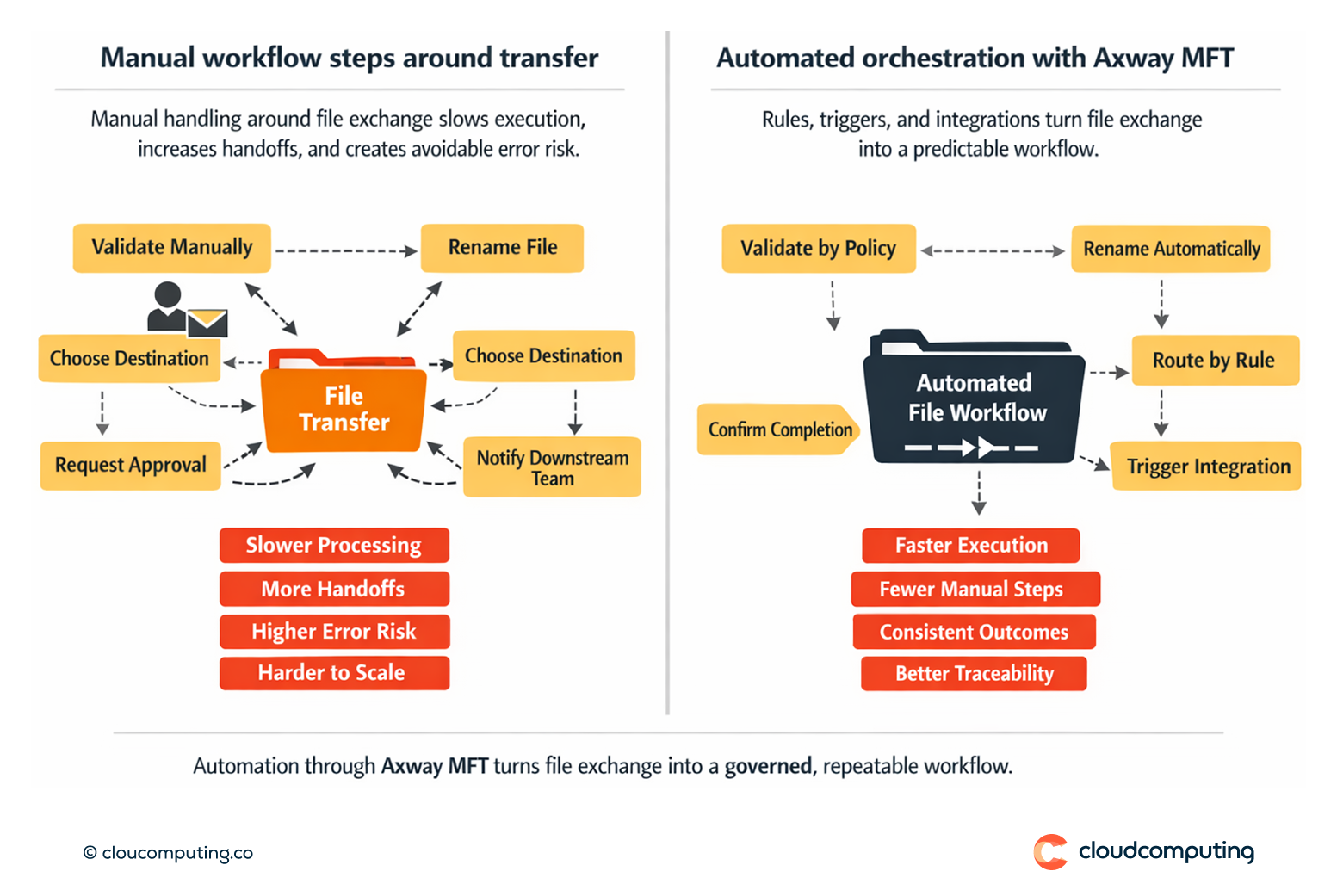
How we solve it: Automate workflows with routing rules, triggers, and integrations to downstream systems using Axway MFT.
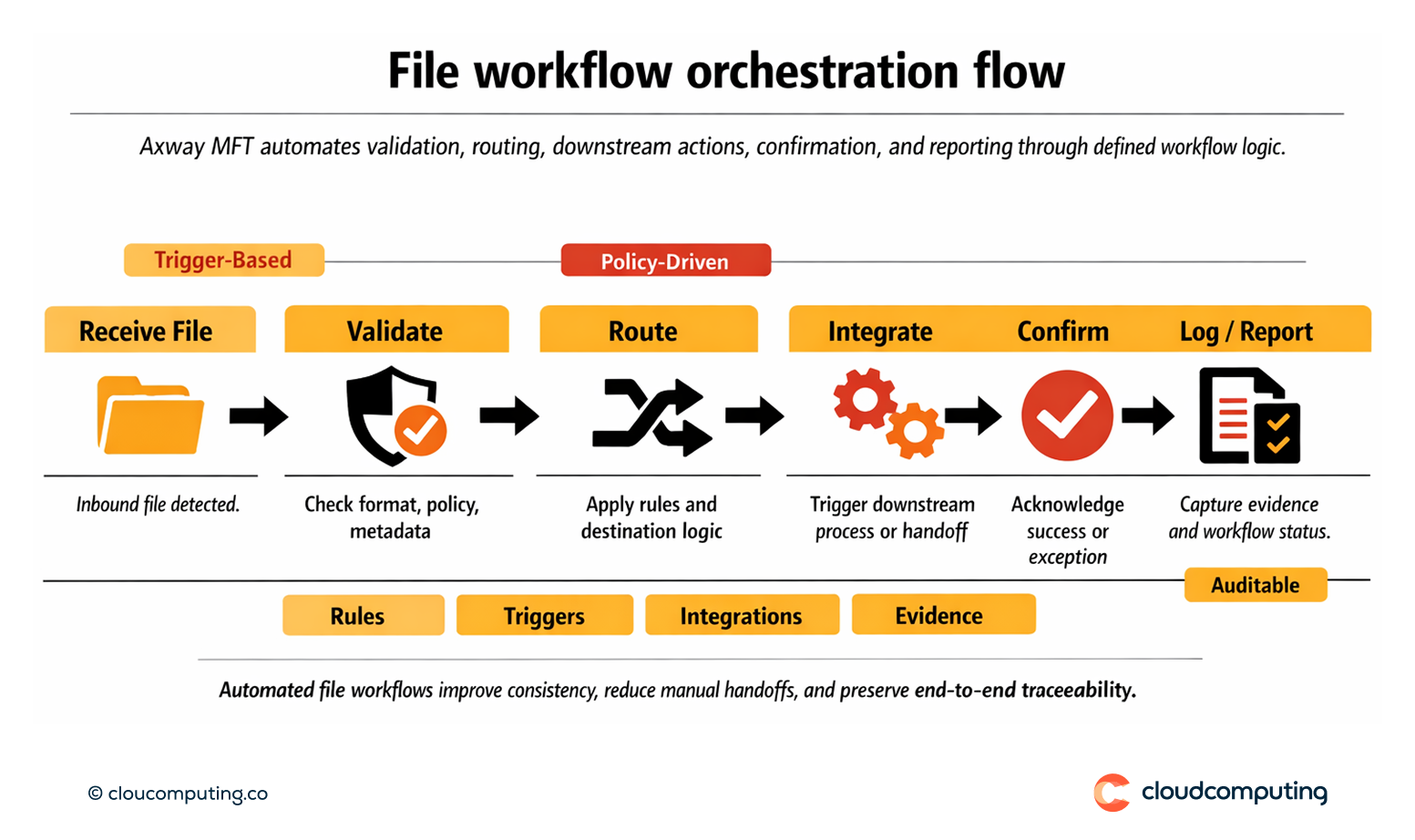
We implement file-based orchestration so transfers trigger the right actions automatically with consistent rules.
- Routing rules and triggers
Define how files are validated, renamed, routed, and processed based on policy. - Integrations to downstream systems
Trigger downstream workflows and acknowledgements to reduce manual handoffs. - Governance and evidence
Ensure automated workflows remain traceable and auditable.
Expected outcome
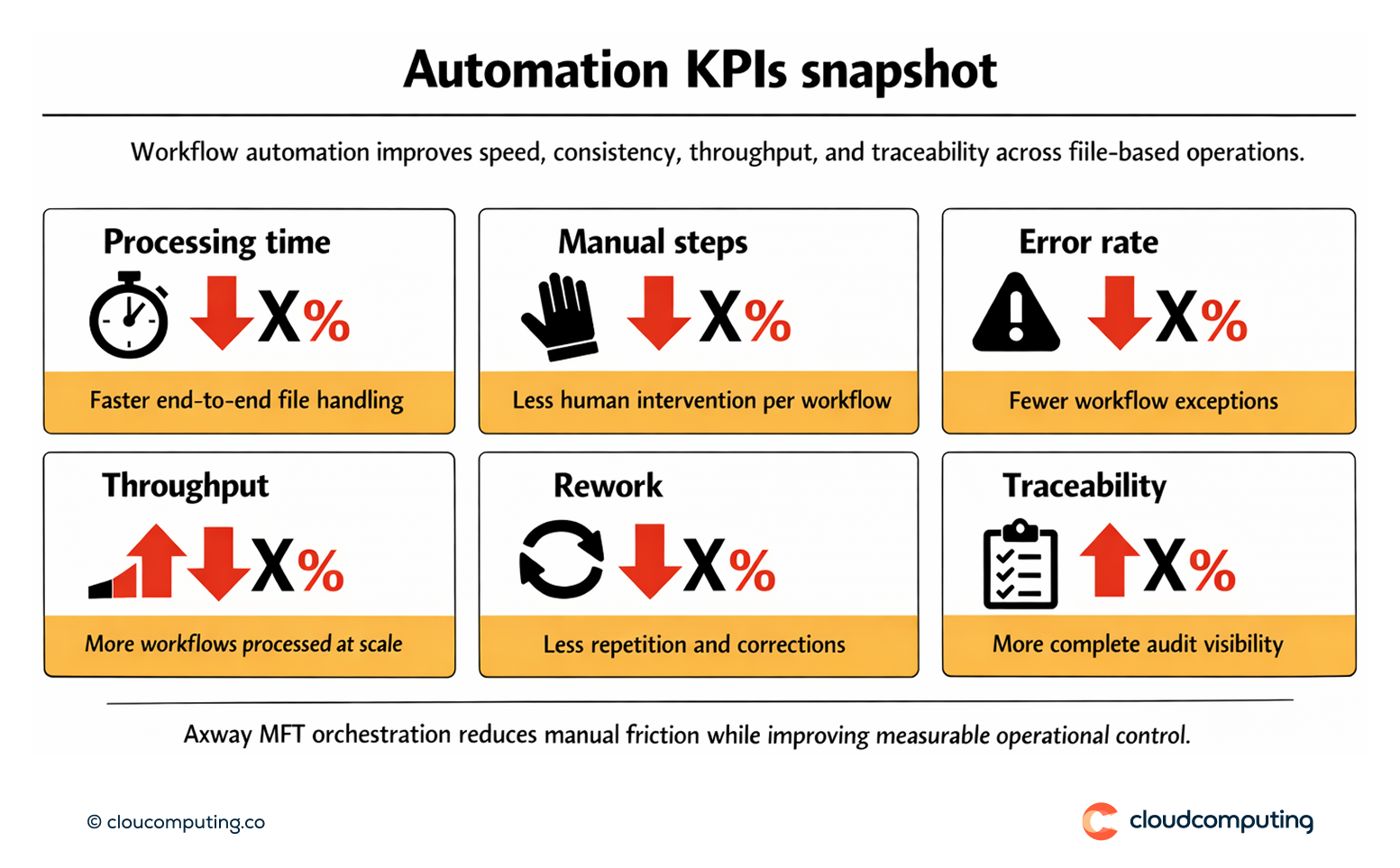
- Faster processing by removing manual steps and delays
- Fewer errors through standardised automation rules
- Higher throughput as workflows scale predictably
- Improved traceability across end-to-end file processing
Quick Answers
What is orchestration in MFT?
Automating the steps around file exchange—validation, routing, integration—so transfers trigger predictable workflows.
Why does automation reduce errors?
It replaces manual handling with consistent rules and repeatable processing.
What should be automated first?
High-volume routes and workflows with repeated manual steps and frequent errors.